Your own domain
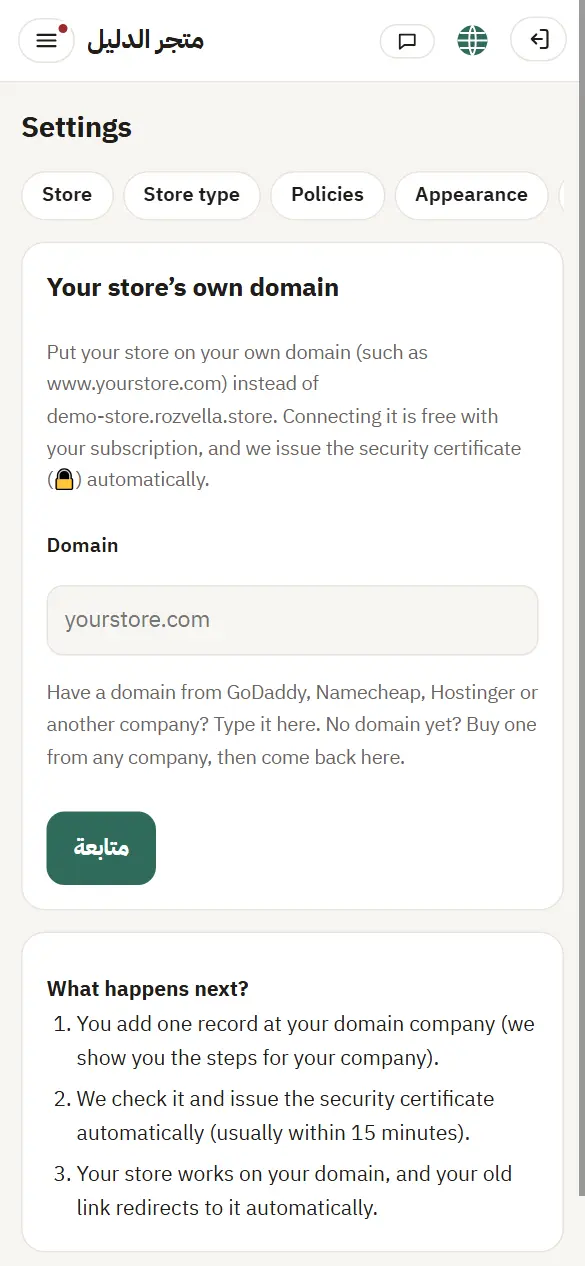
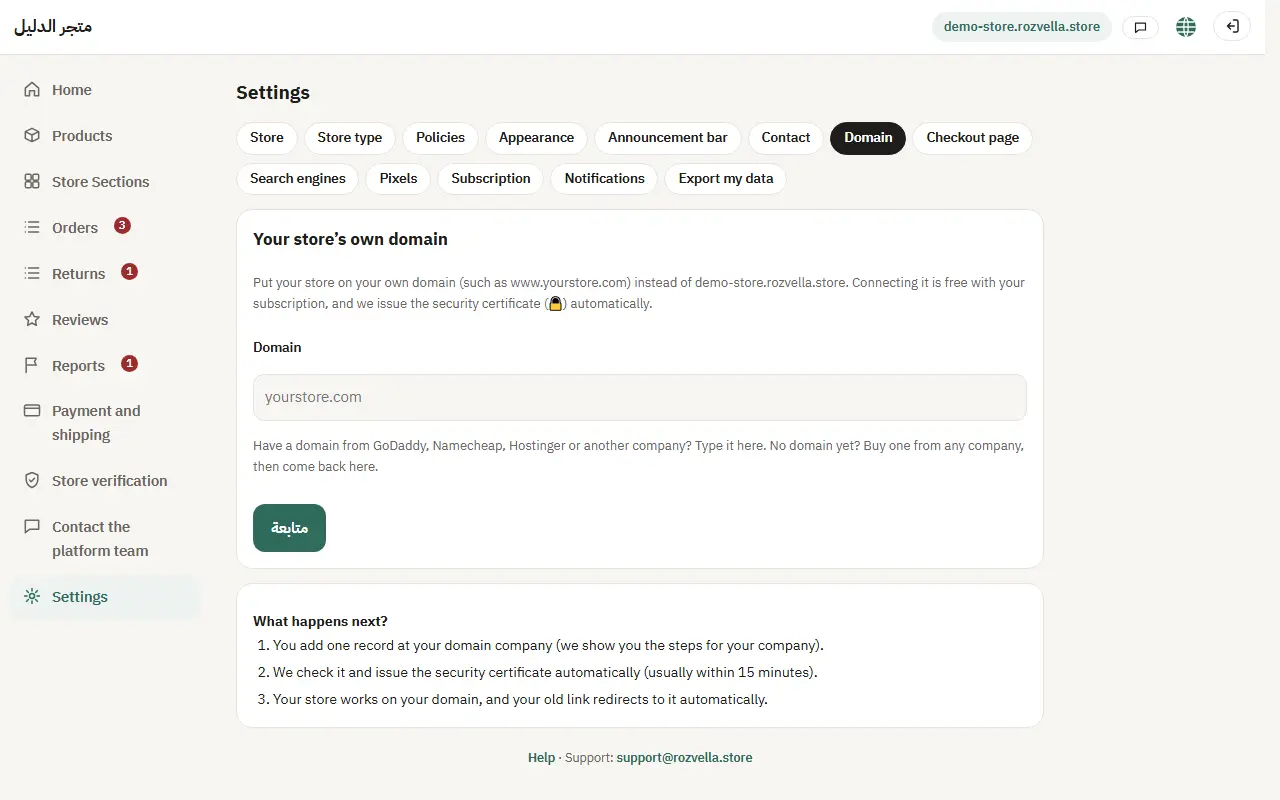
You can run your store on a domain you own (like www.mystore.com) instead of its rozvella.store link.
In this article (3)
1Add the domain
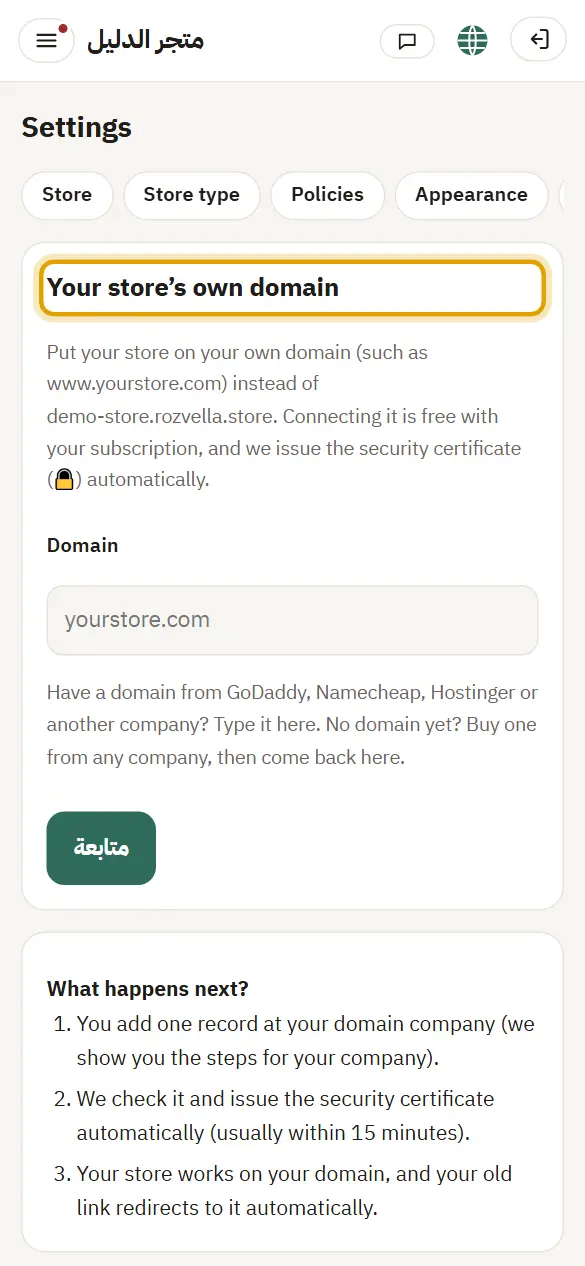
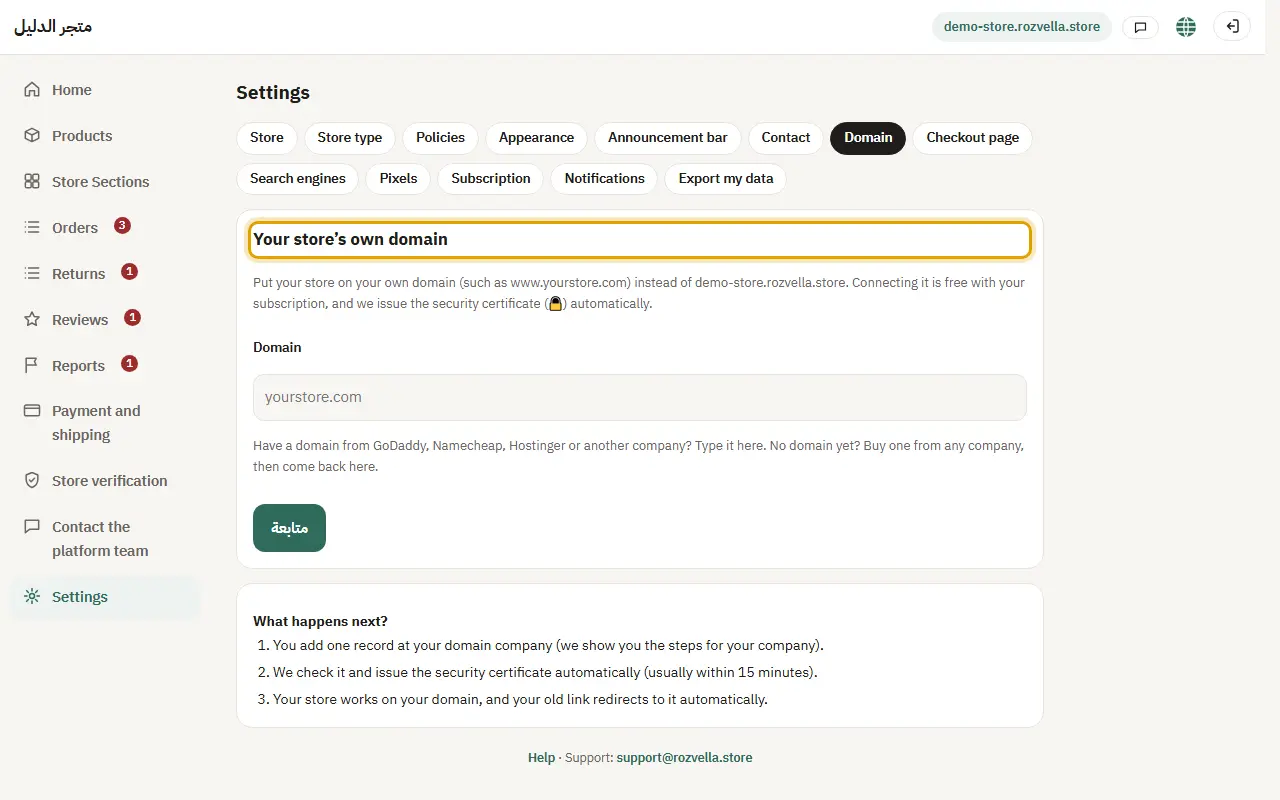
Where?Settings›Domain›Continue
Enter the domain under “Your own domain for your store” and press “Continue”.
“You added many domains today”
Try again tomorrow.
2Add the record at your domain company
Where?Settings›Domain›I added the record — check now
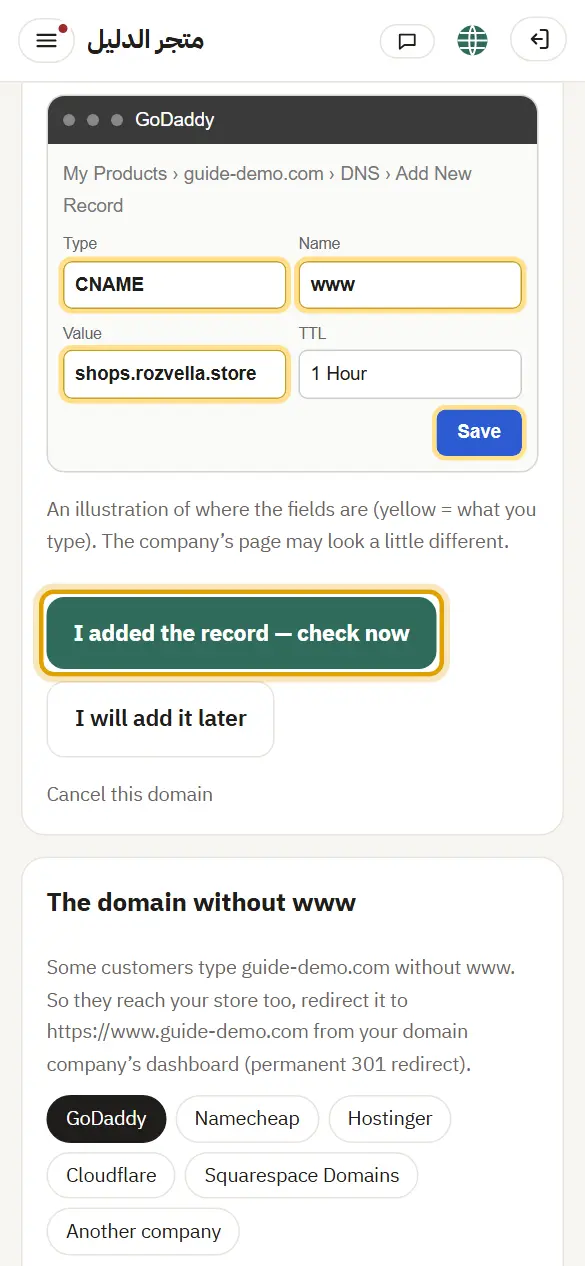
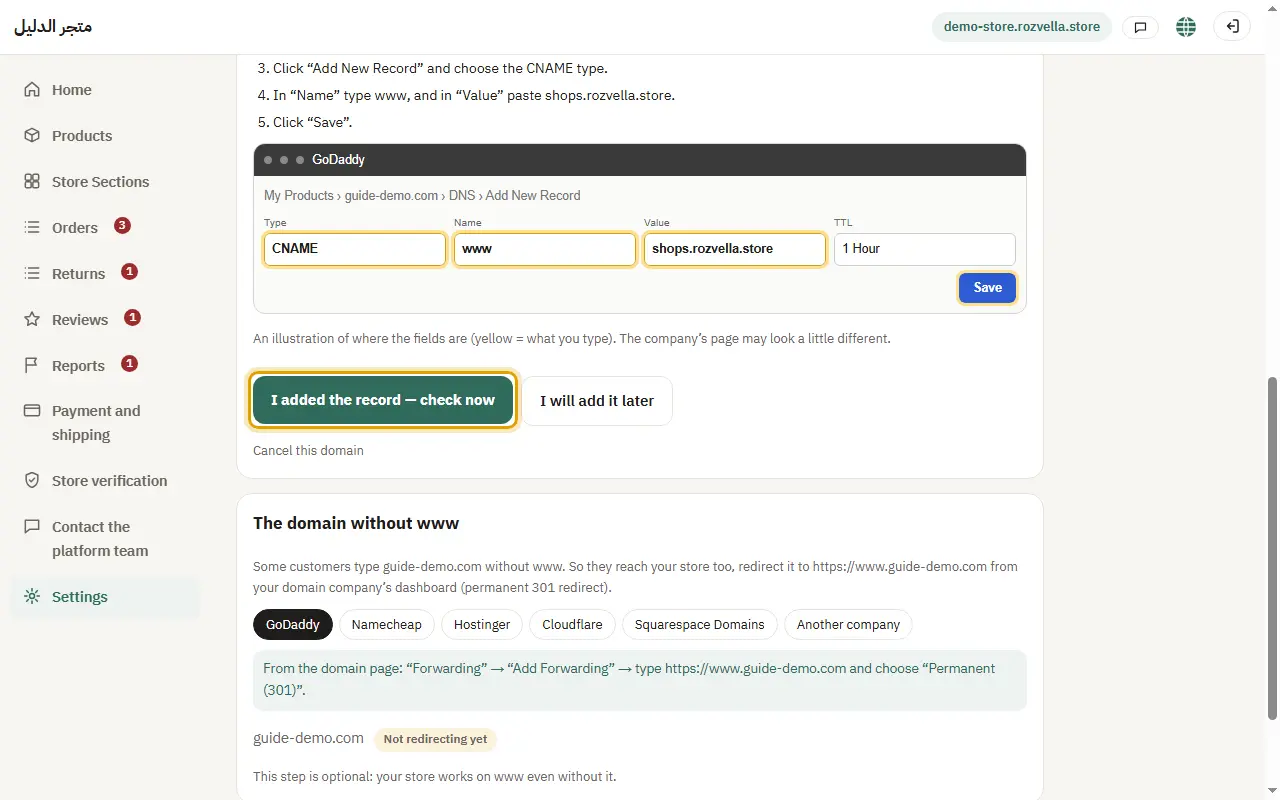
Copy the values exactly and add the record in your domain company's dashboard (choose your company to see the steps), then press “I added the record — check now”.
The status doesn't change
Record changes can take time. Open “Common problems and solutions” on the same page to see the reason shown and its fix.
“We haven't found the TXT record yet”
The domain was linked to another store, so we need proof you own it. Add the TXT record shown, wait a little, then try again.
3Removing the domain
Where?Settings›Domain›Disconnect the domain
Press “Unlink the domain”, then “Yes, unlink it”.