International shipping
By default delivery is within your store's country. International shipping is an extra option for verified stores.
In this article (3)
1Add the countries
Where?Payment and shipping›International shipping›+ Add a country…
Choose the country from “+ Add a country…”, enter the price and days, and repeat for each country.
Picture from a demo dashboard
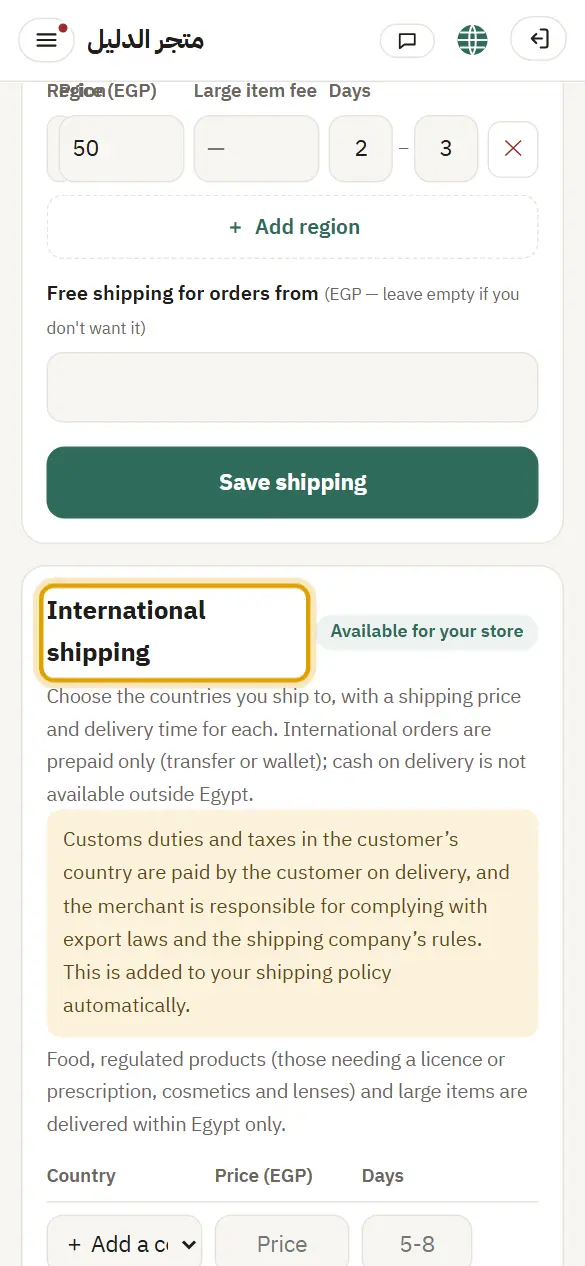
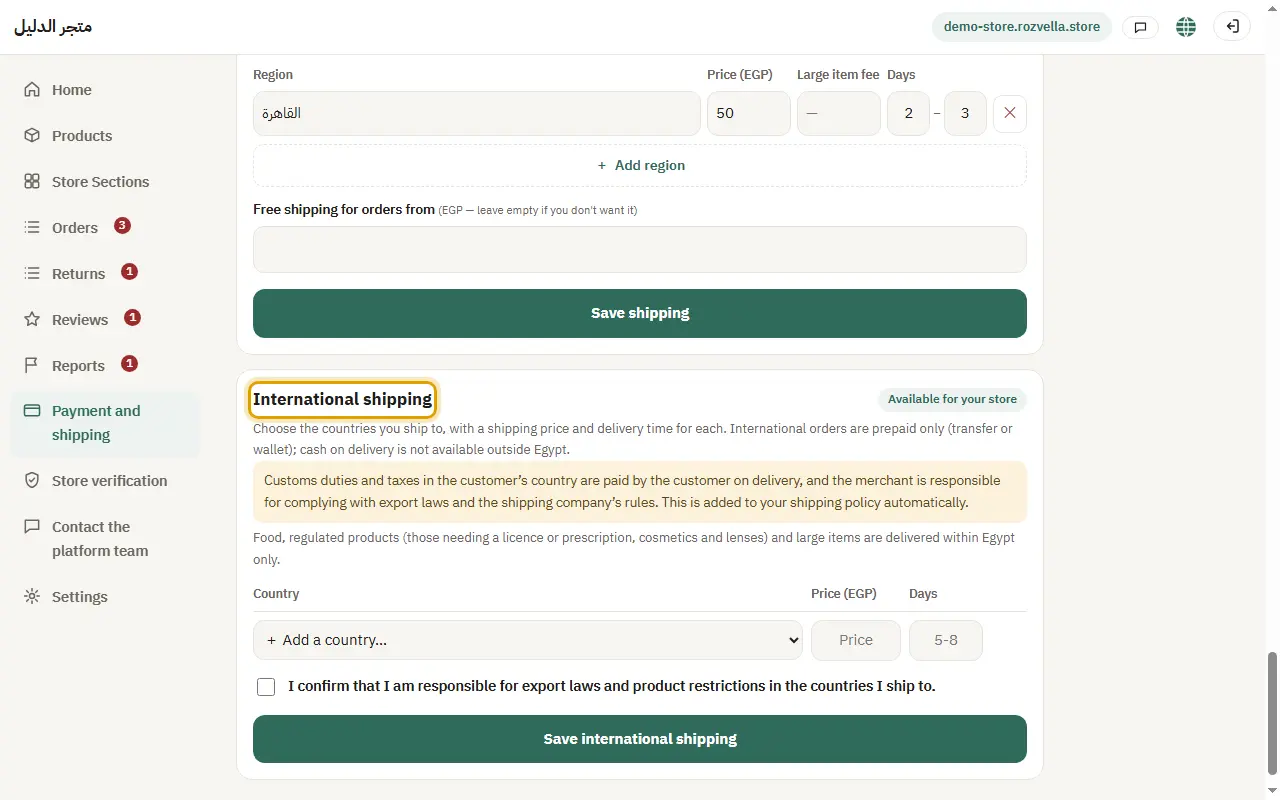
What happens?The countries appear at checkout under “Delivery country”.
2Declaration and saving
Where?Payment and shipping›Save international shipping
Tick the declaration that you are responsible for export laws, then press “Save international shipping”.
Picture from a demo dashboard
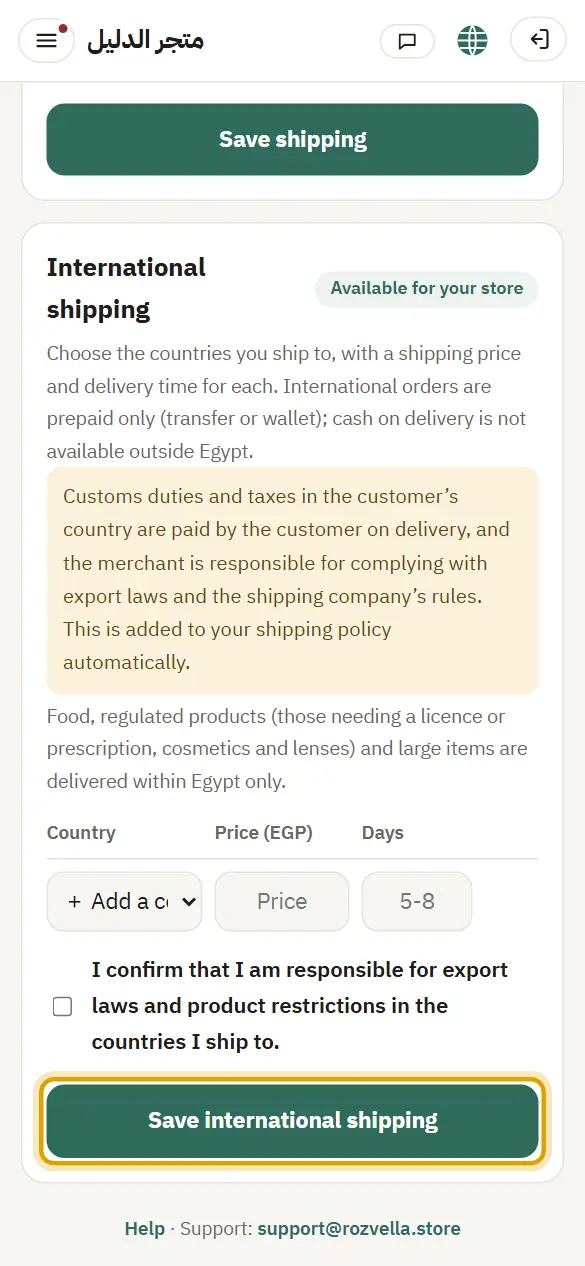
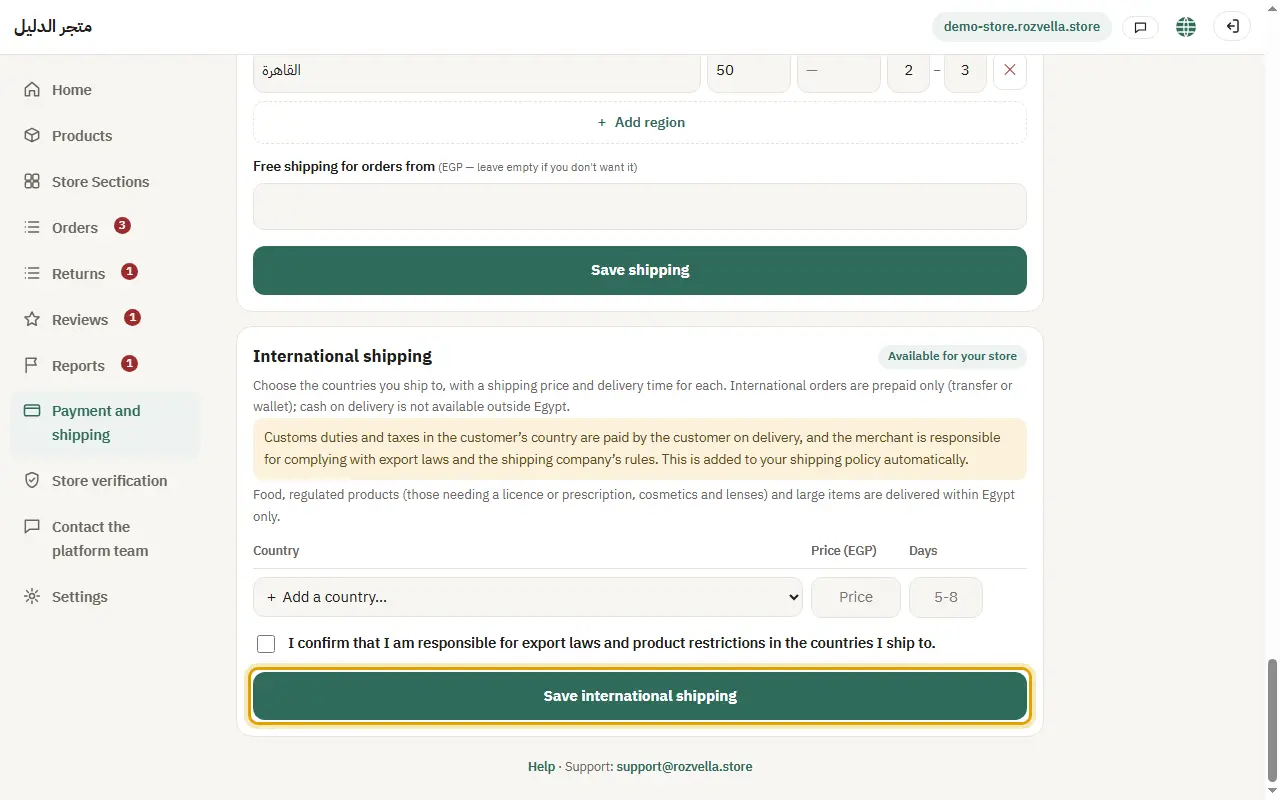
What happens?The international shipping policy in your store is written automatically.
Common problems and fixes“Confirm you are responsible for export laws…”
Tick the declaration before saving.
3What is different for international orders
International orders are prepaid only, customs are paid by the recipient, and there is no free international shipping.
What happens?Food, regulated products and large items are delivered within your country only and don't show for international orders.