Unlocking prepayment
To protect customers, every new store starts with cash on delivery only. Prepayment opens automatically once two conditions are met.
In this article (4)
1See what is missing
Where?Payment and shipping›Prepayment is closed until the conditions are met
Open “Payment and shipping”: the prepayment box shows the conditions and which ones you have met.
Picture from a demo dashboard
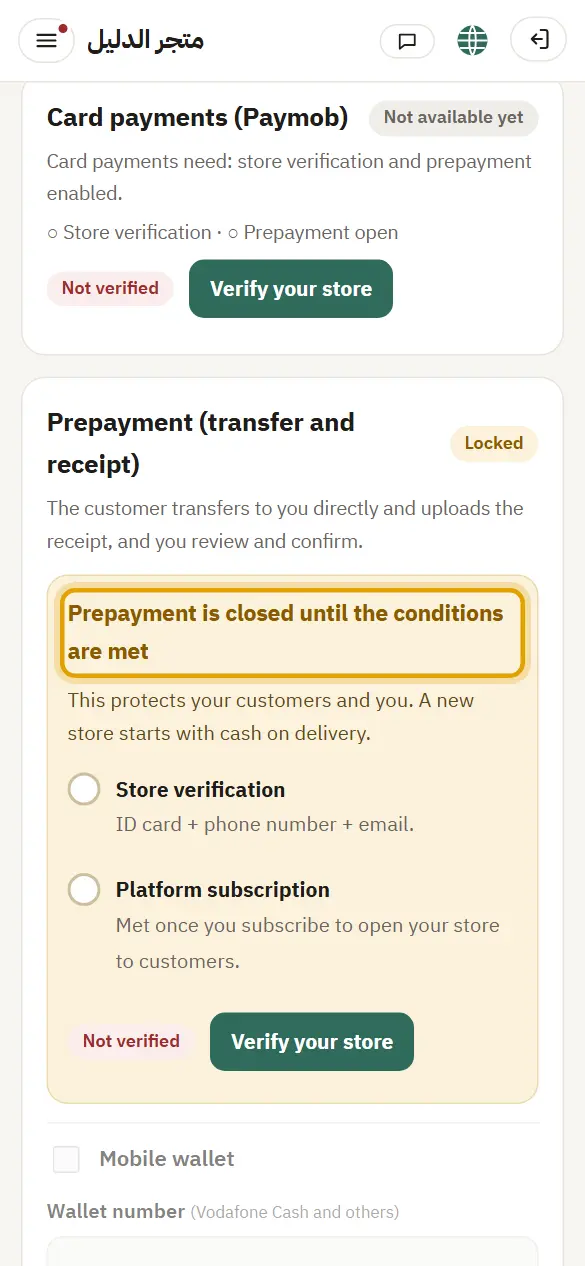
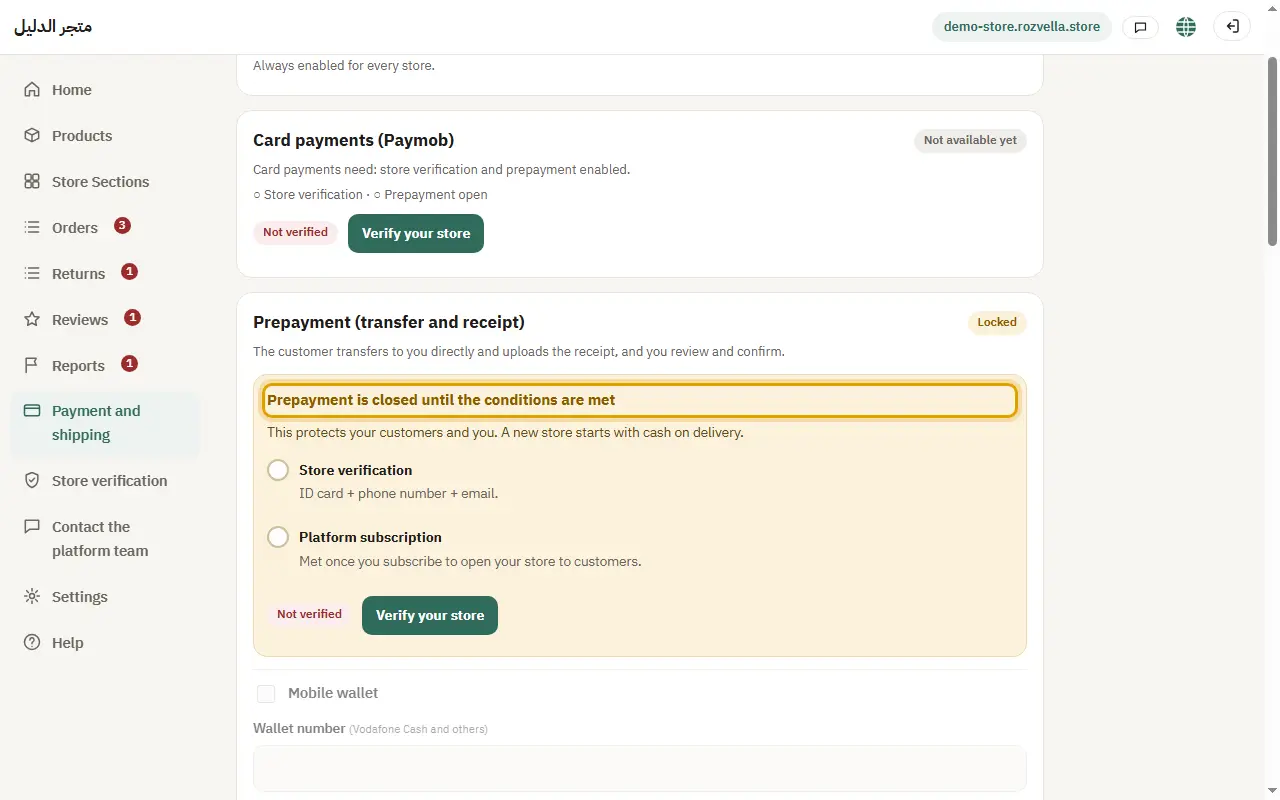
What happens?The conditions: your store is verified (identity and email), and you subscribe to open your store to customers. If the platform also asks for a number of delivered orders first, that number shows in the same box.
2Verify your store
Where?Store verification
From “Store verification”, send your ID details and confirm your email. Details are in “Store verification”.
Picture from a demo dashboard
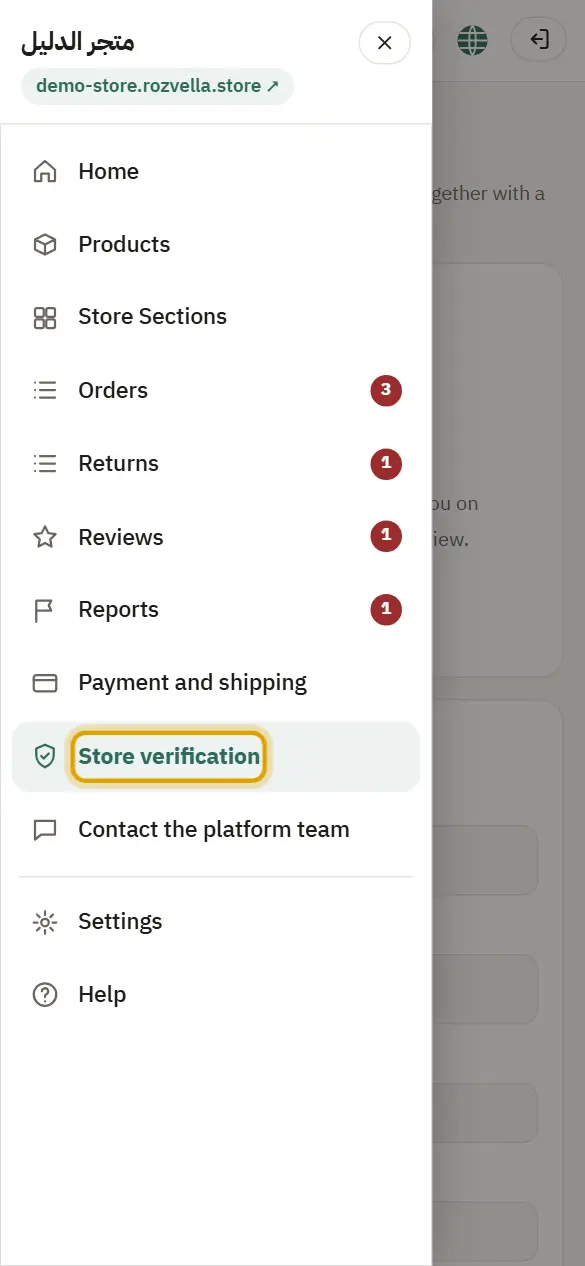
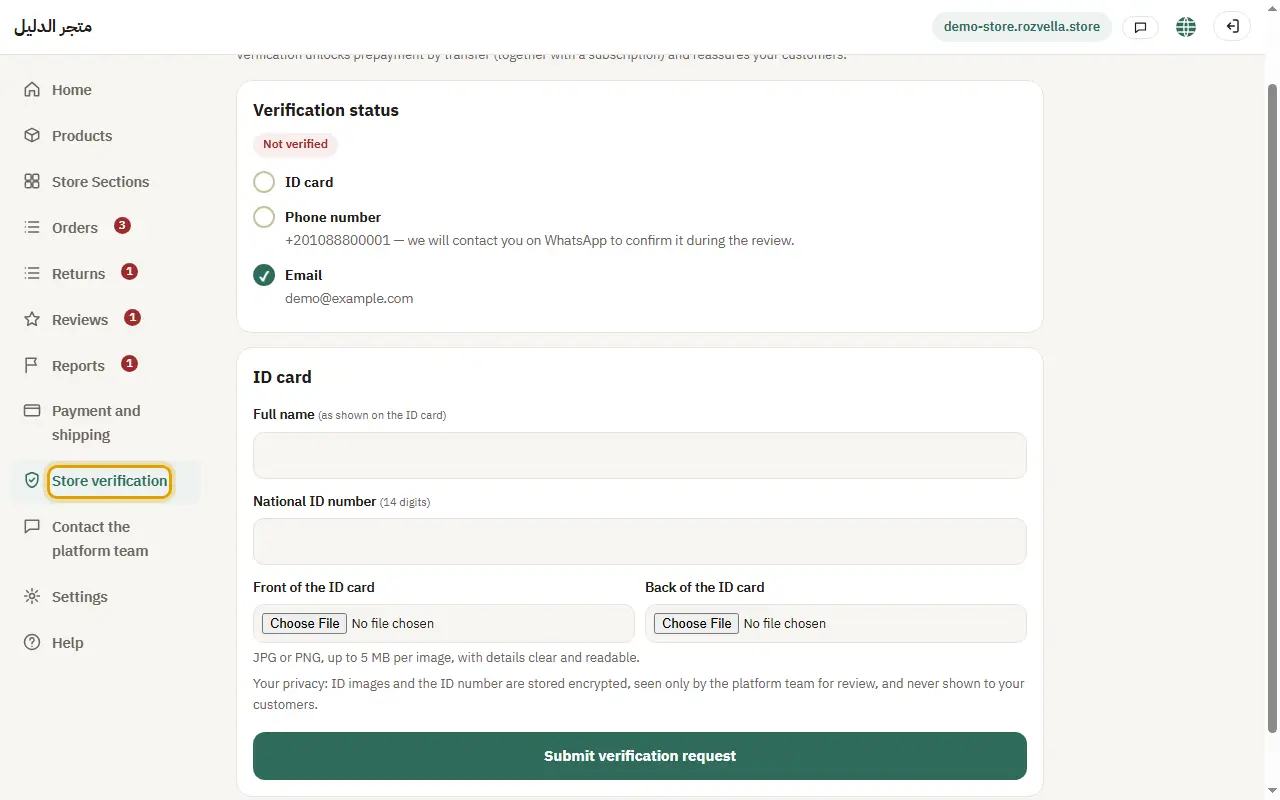
What happens?Once verification is approved, the first condition is met.
3Subscribe to open your store
Where?Home›Open your store to customers
From “Home”, choose your plan in the “Open your store to customers” card and pay the subscription.
What happens?Once you pay, and with verification, prepayment and digital products open right away.
4If asked: deliver your first orders
Where?Orders›Delivered
Press “Delivered” on every order that reaches its customer.
Picture from a demo dashboard
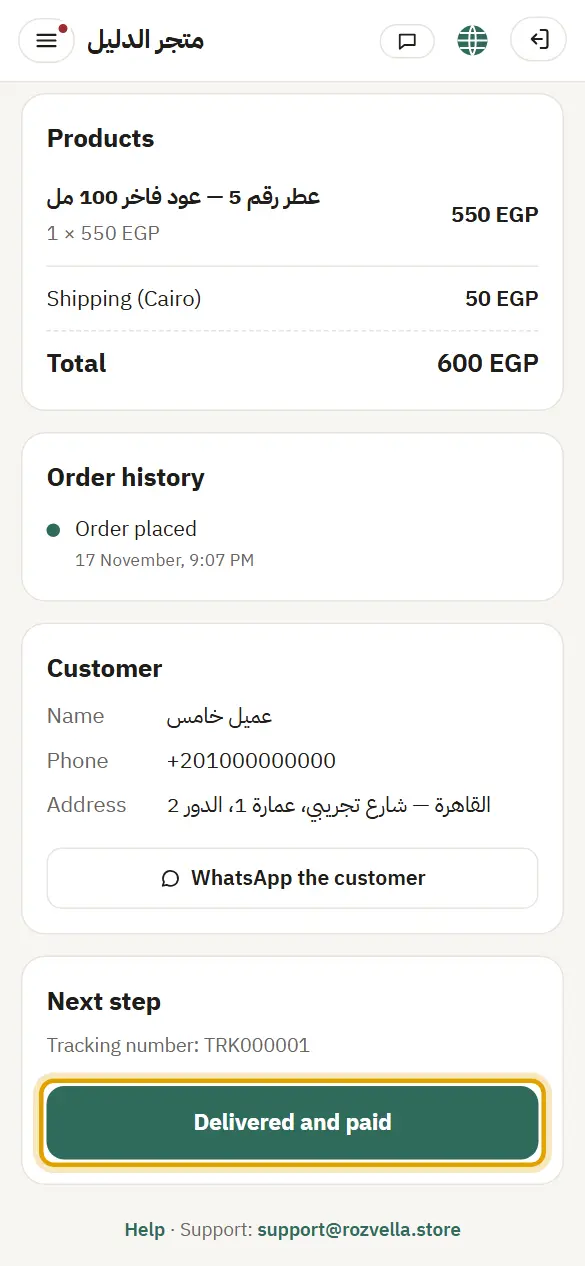
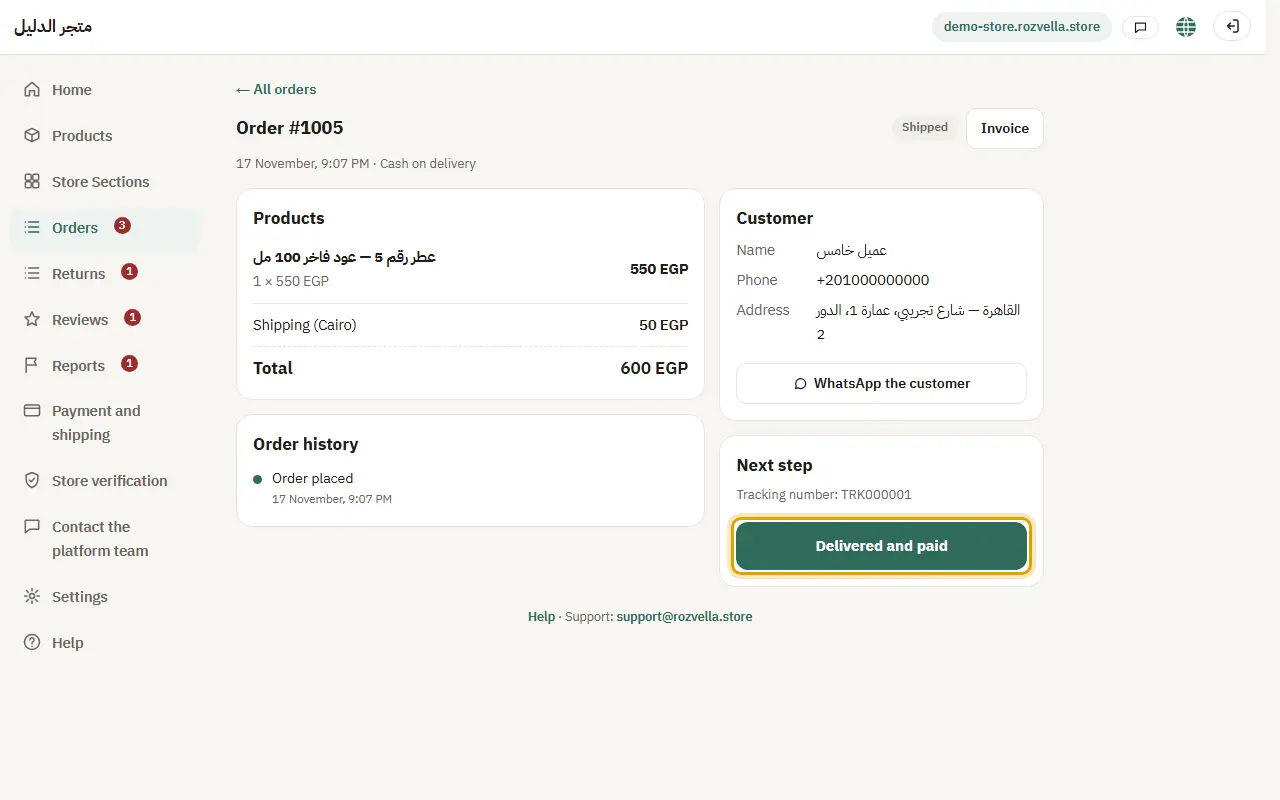
What happens?If the box shows a “deliver your first orders” condition, every order you mark “Delivered” counts, and prepayment opens by itself once all conditions are met.
Common problems and fixes“Prepayment is closed by the platform”
Prepayment was closed for your store by the platform team. Contact the team to know why.