Return and exchange requests
The customer requests a return from “Track your order” after delivery and within your policy period.
In this article (4)
1A new request
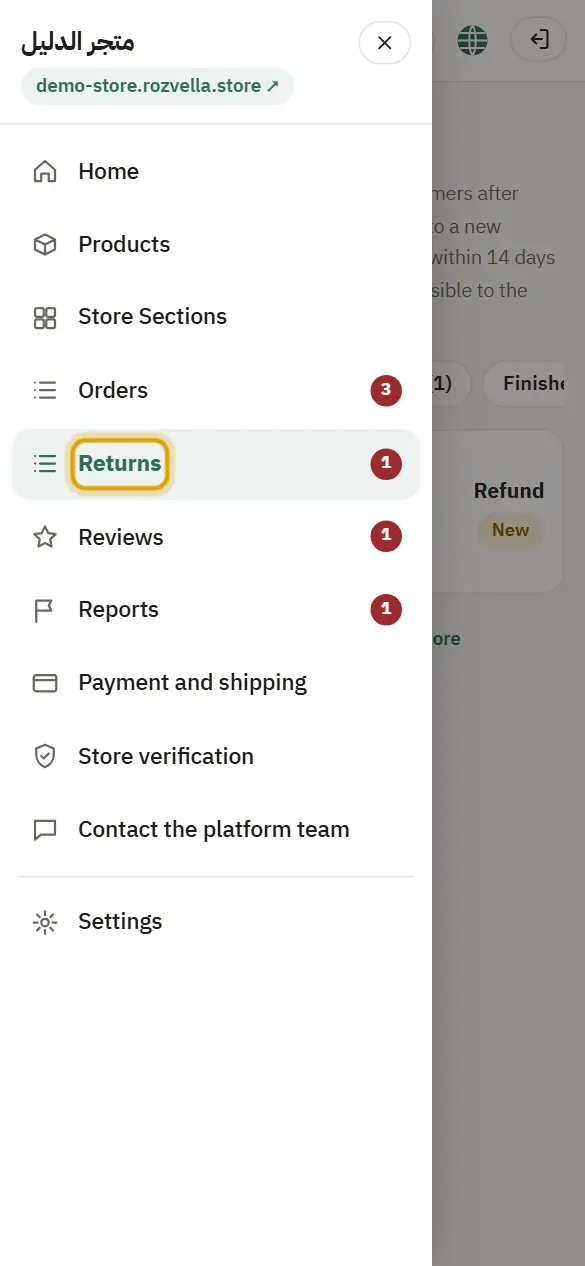
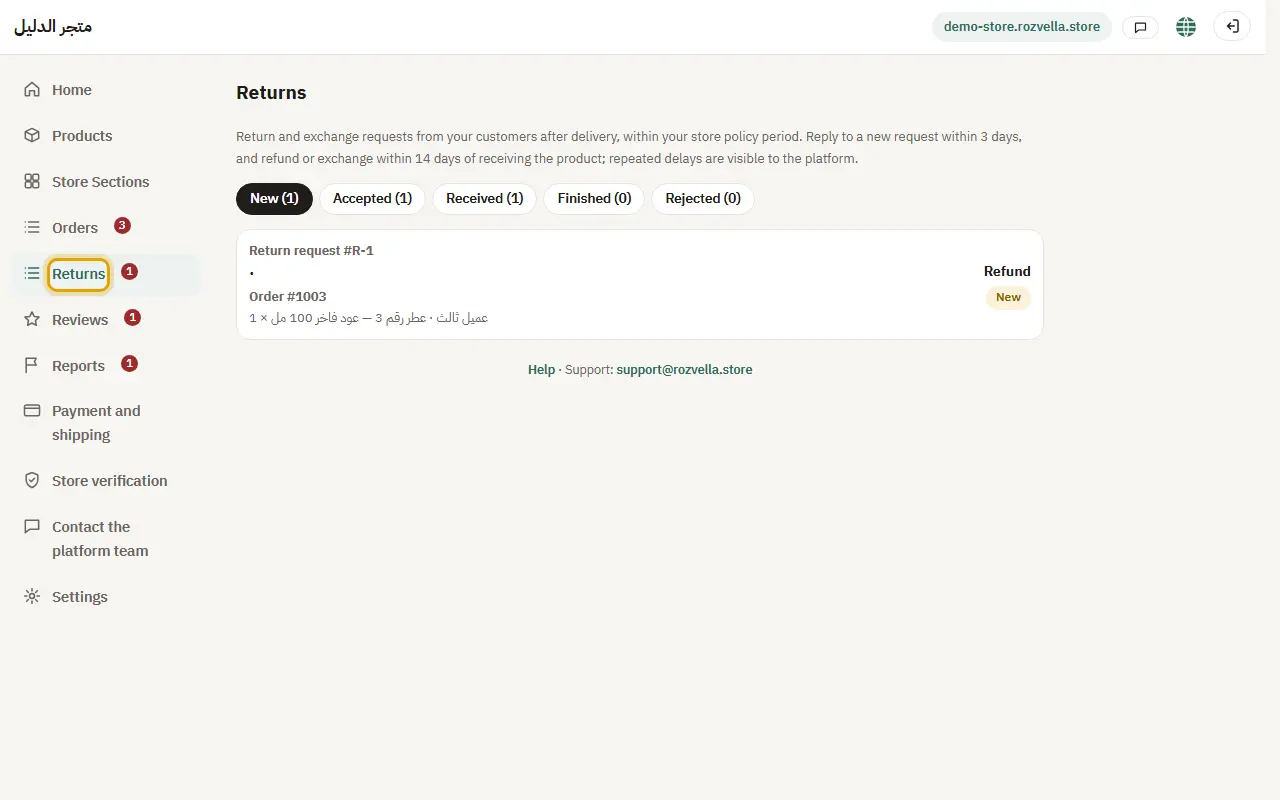
Where?Returns
Open “Returns”, then the request to see the product, reason and photo.
2Accept or reject
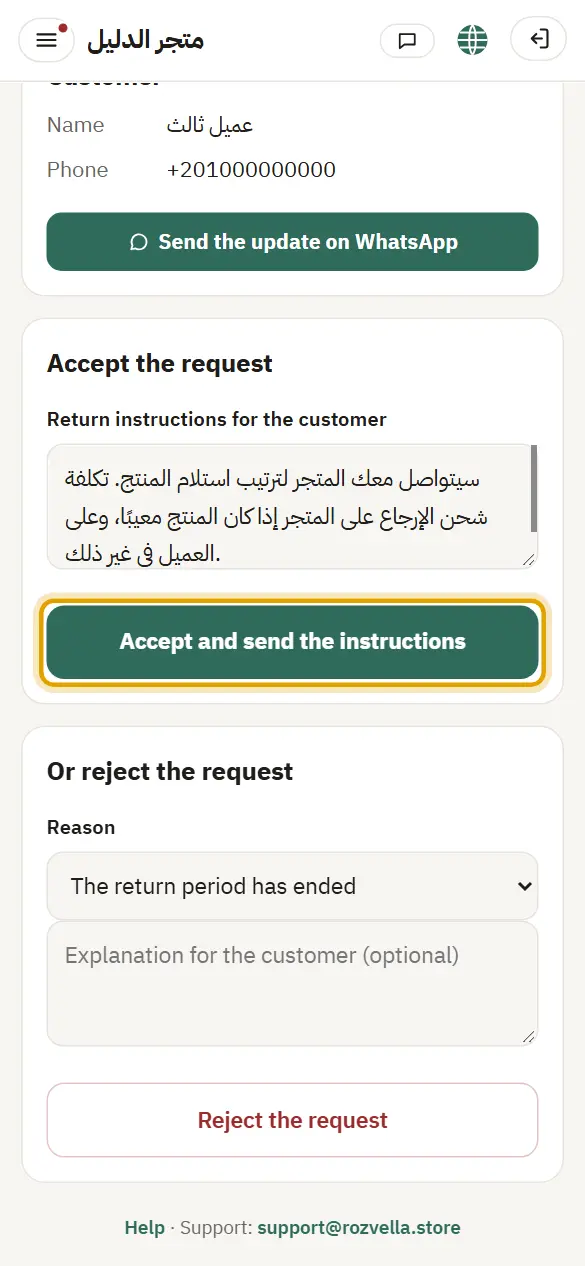
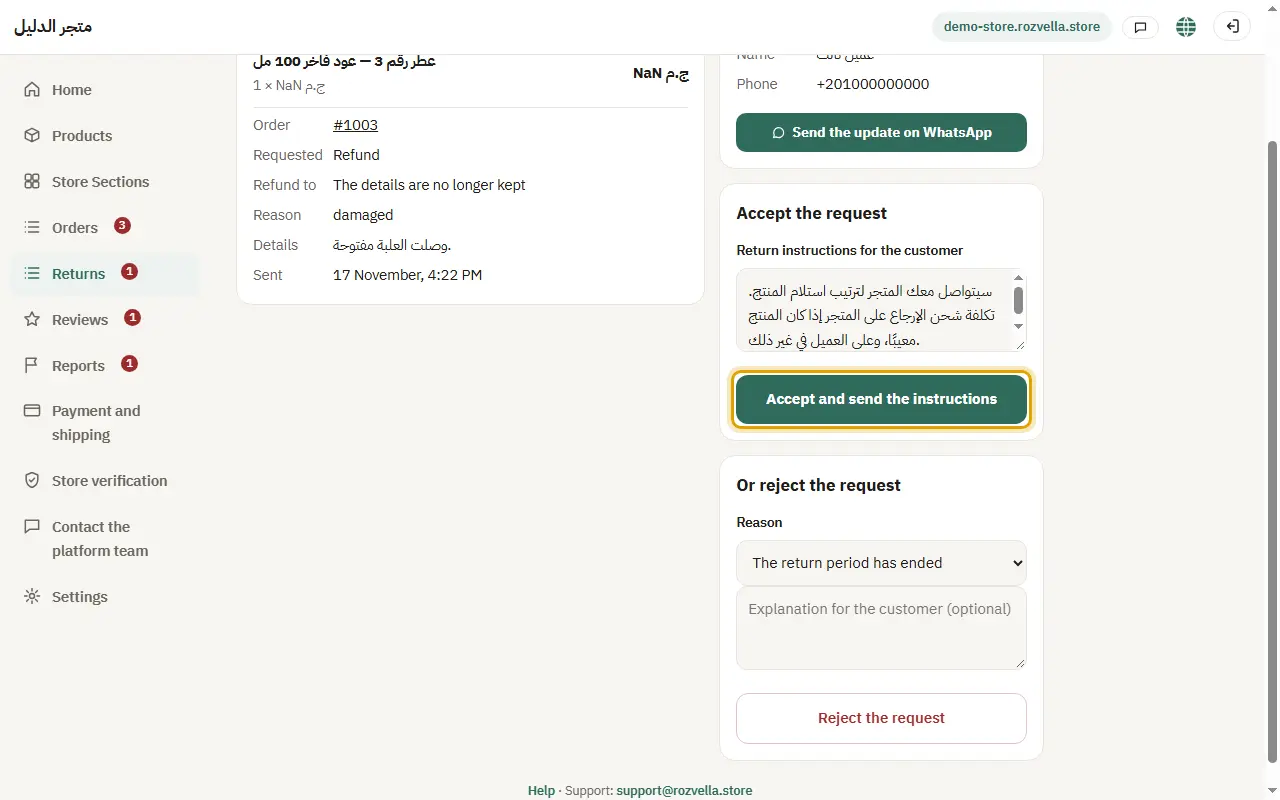
Where?Returns›Accept and send the instructions
Write the “Return instructions for the customer” and press “Accept and send instructions”, or press “Reject the request” and write the reason.
“Write the return instructions for the customer”
Write how the customer should send the product (address or courier) before accepting.
3Receiving the item
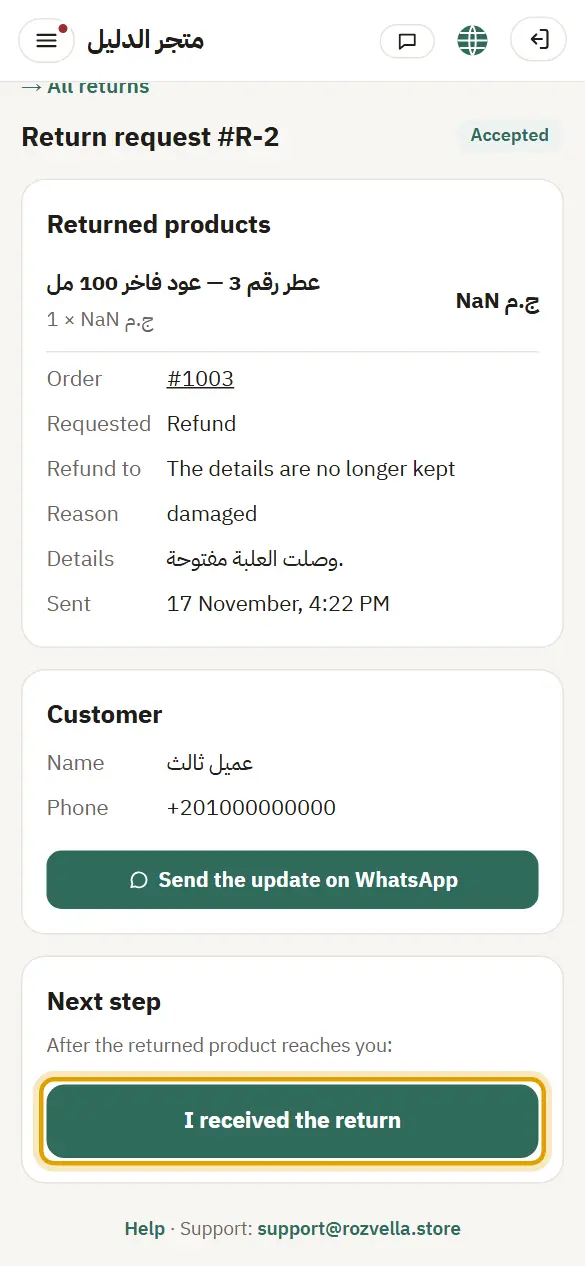
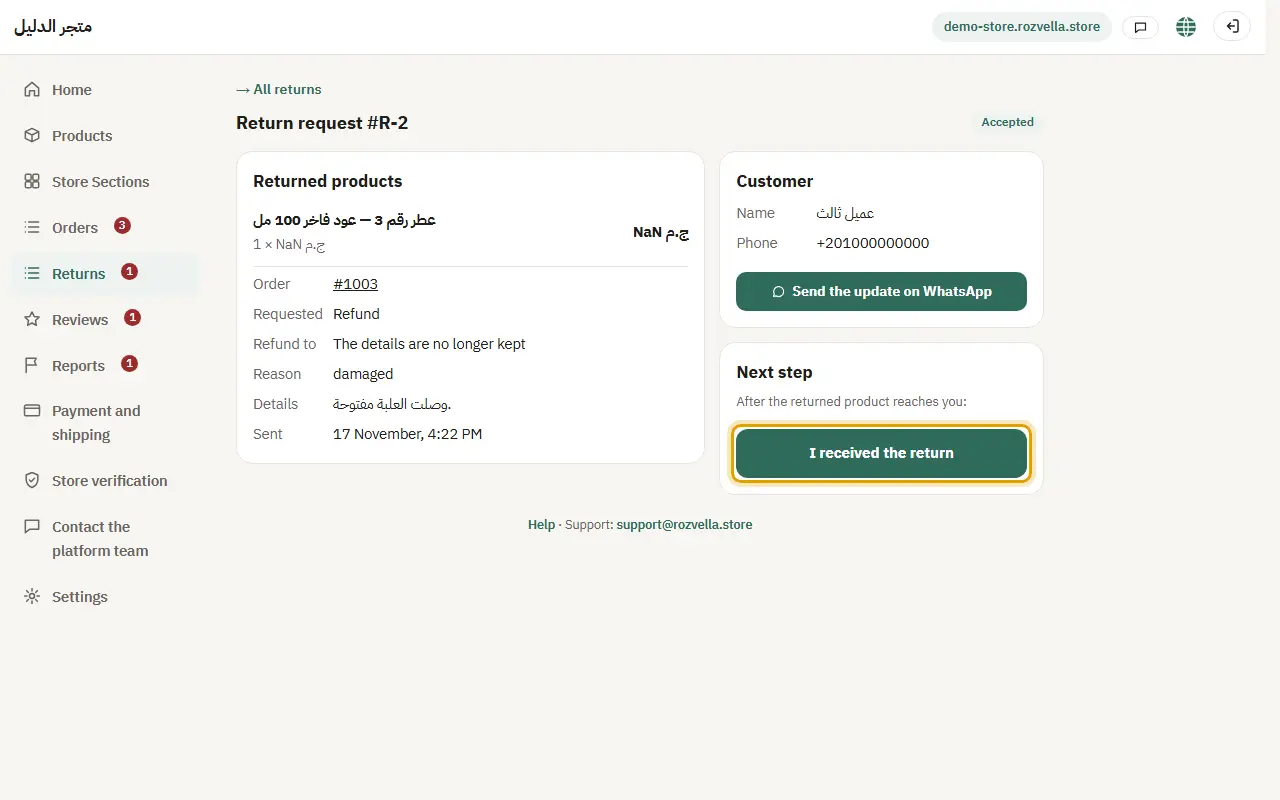
Where?Returns›I received the return
When the product reaches you, press “Received the return”.
4Refund or exchange
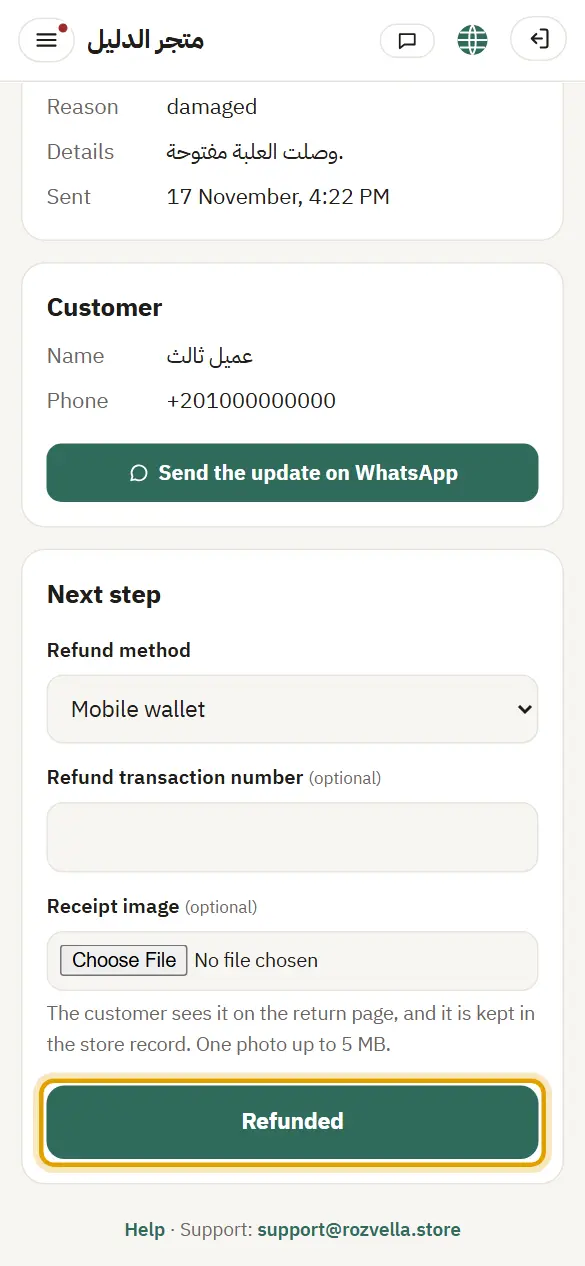
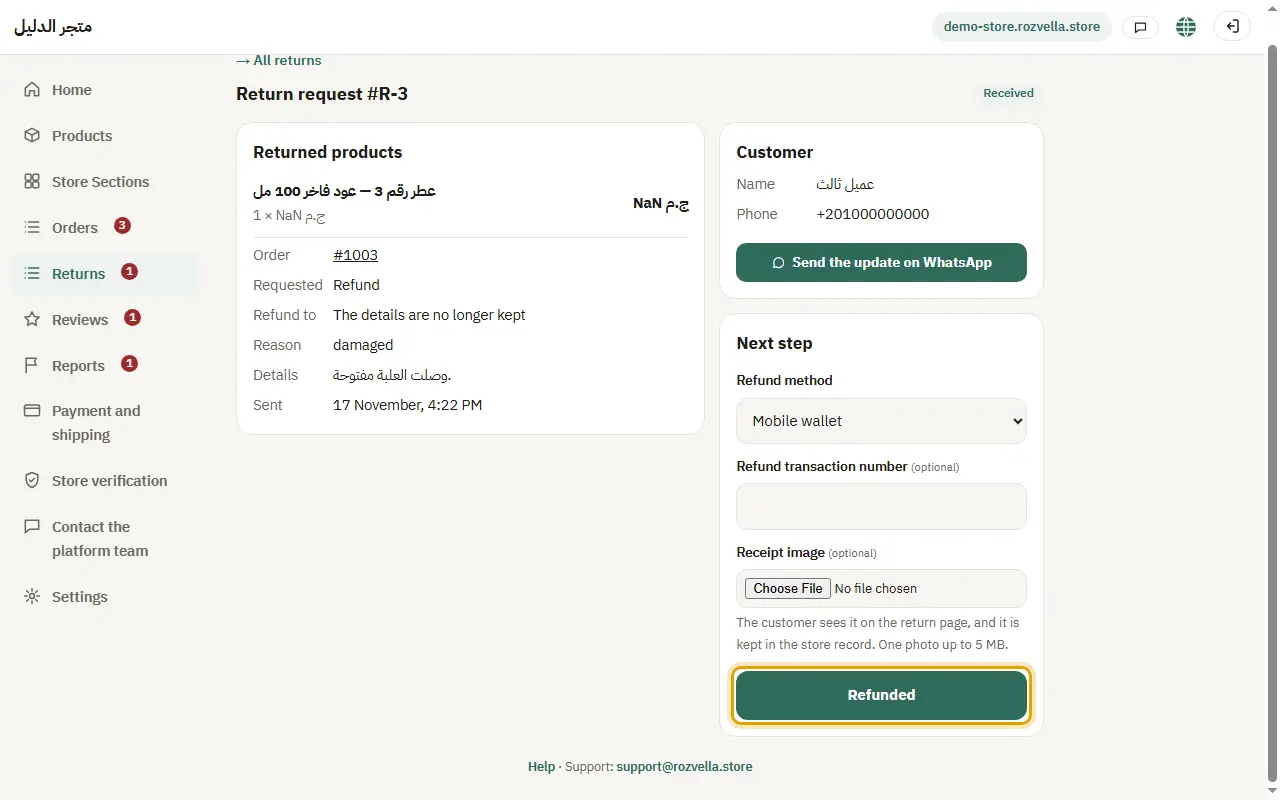
Where?Returns›Refunded
Choose the “Refund method”, enter the transaction number and upload the receipt photo (optional), then “Refunded”. Or “Exchanged” with the replacement's tracking number.
“Choose the refund method”
Choose the method you actually used before saving.
Repeated late replies are visible to the platform team.