Store name, link and country
All your store's basic details are in “Settings ← Store”.
In this article (3)
1Name and short description
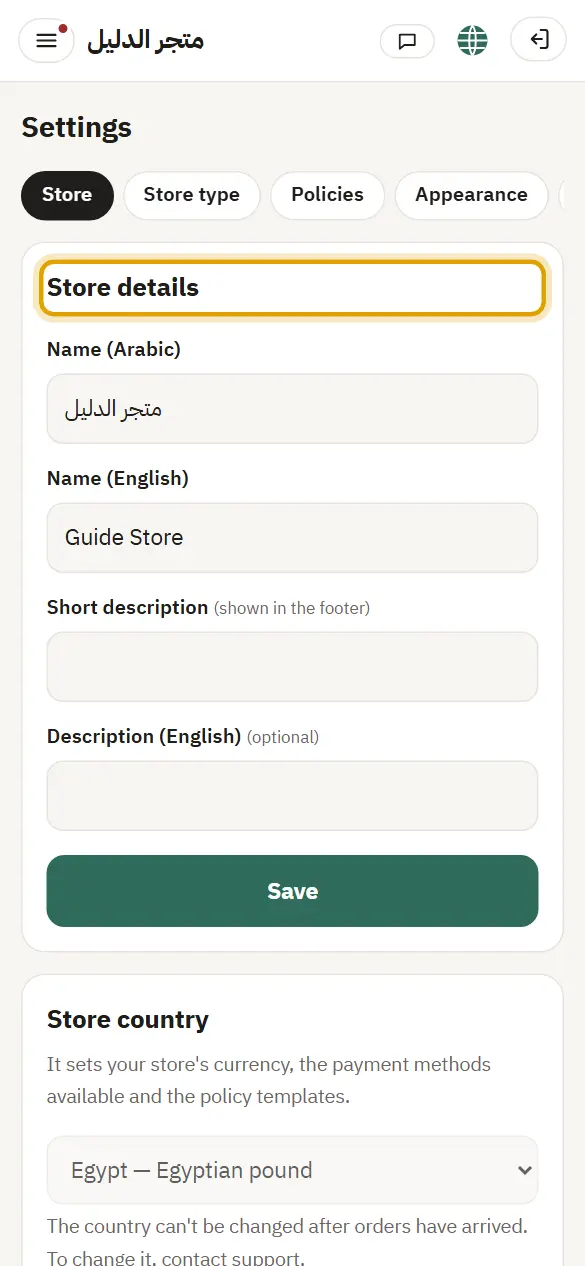
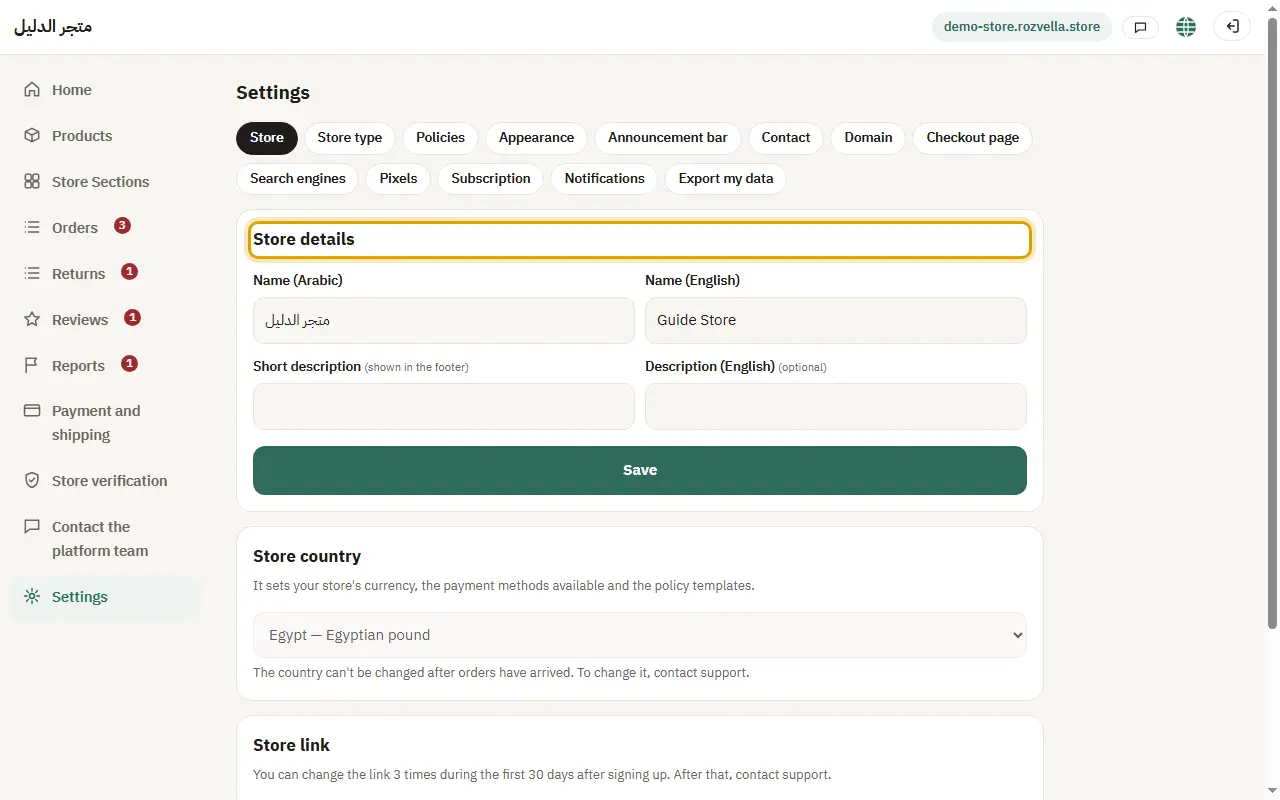
Where?Settings›Store›Store details
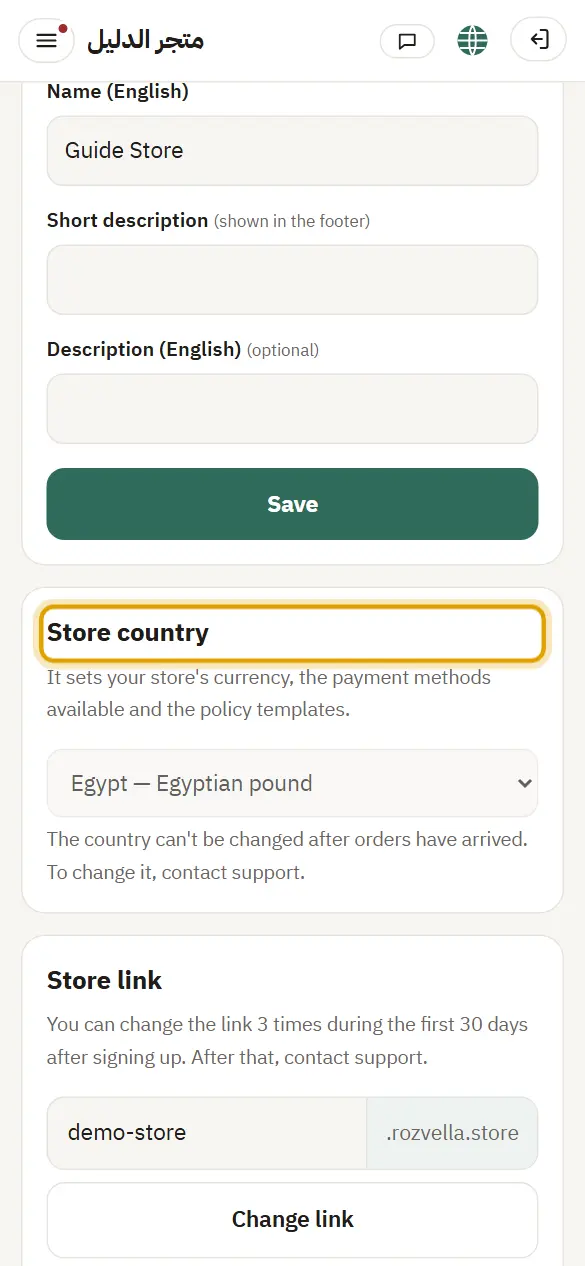
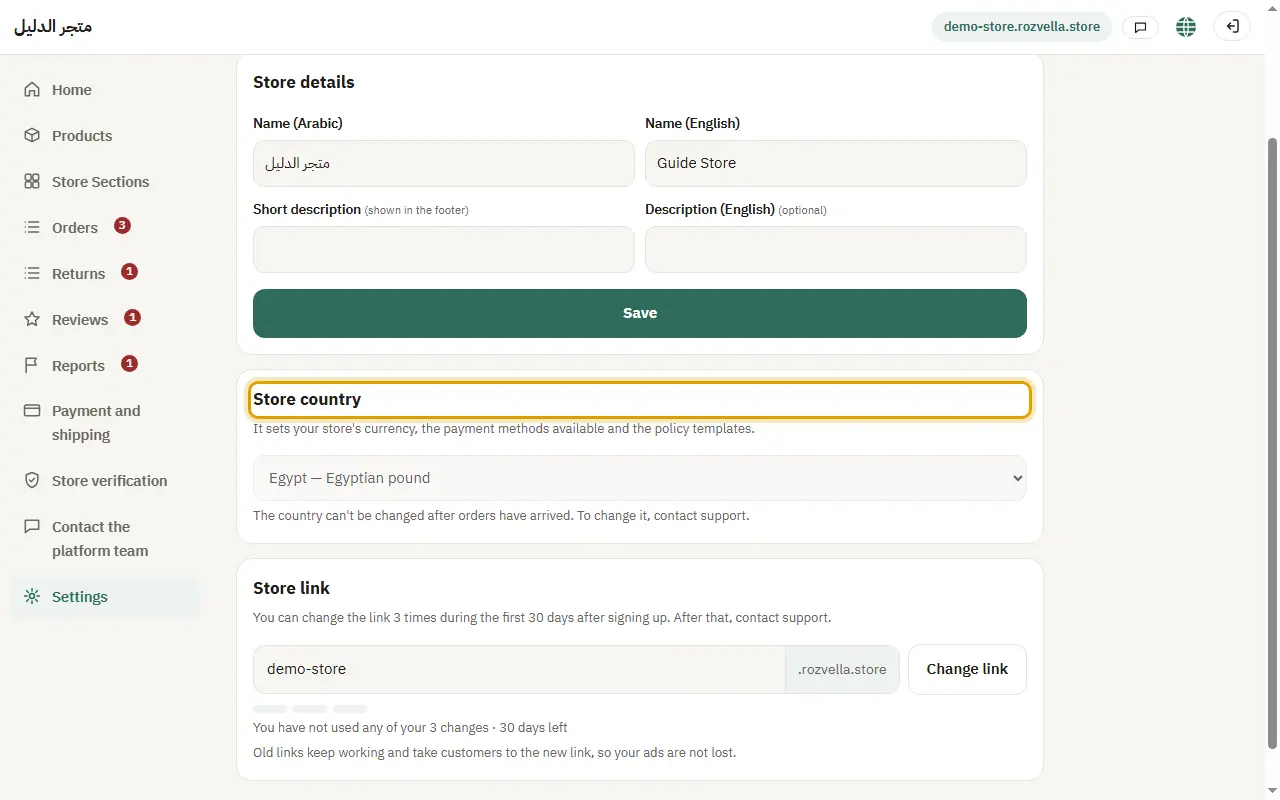
Enter the name in Arabic and English, and a “Short description” that appears at the bottom of your store, then press “Save”.
2Store link
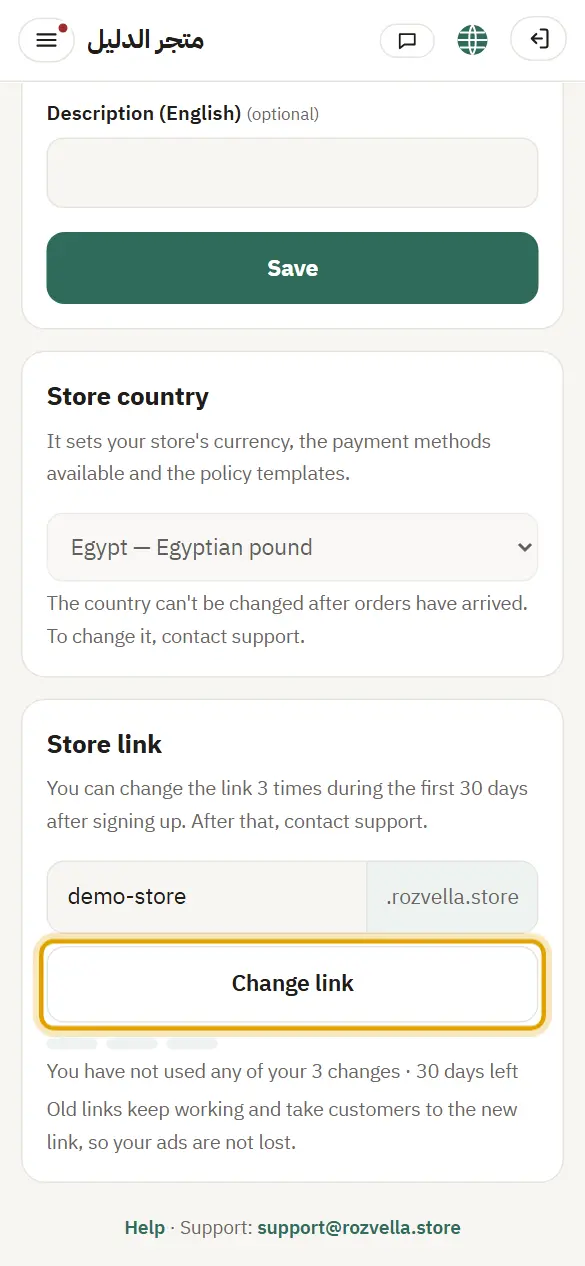
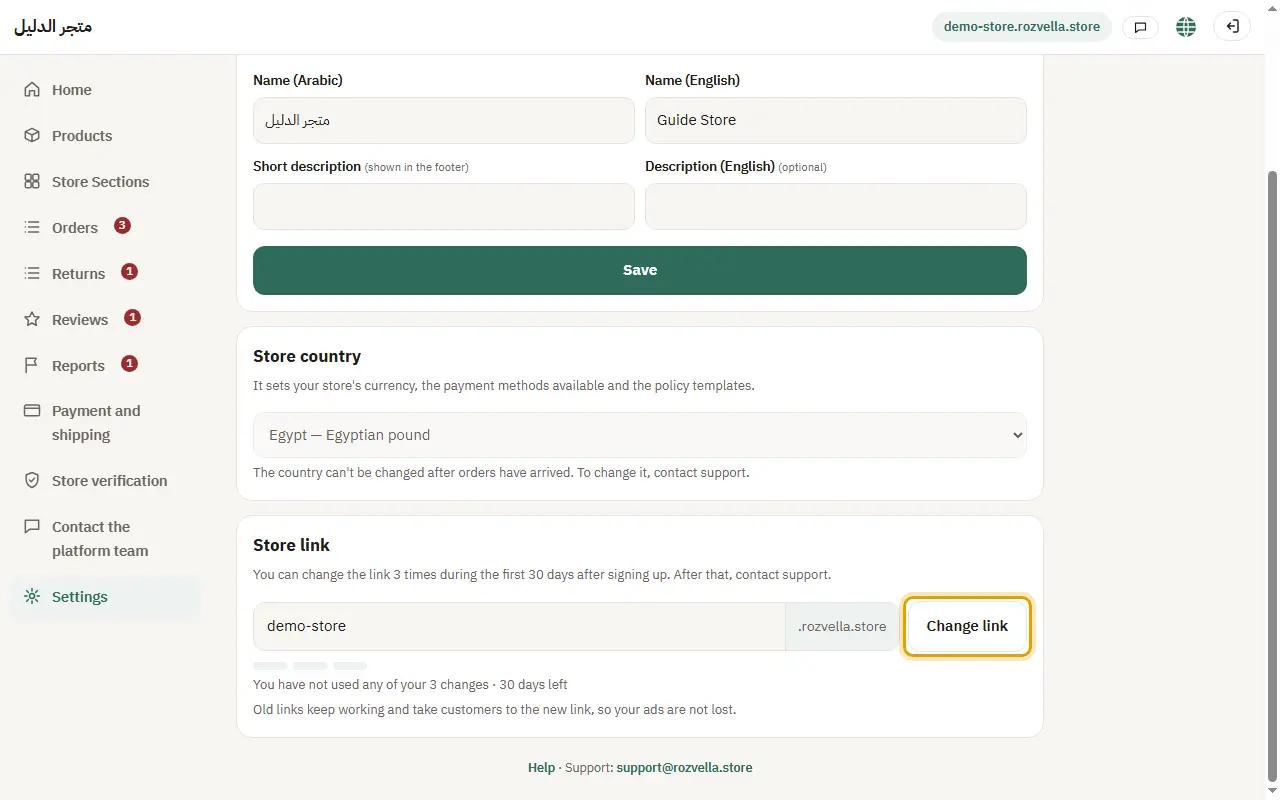
Where?Settings›Store›Change link
In “Store link” enter the new link and press “Change link”. You can change it 3 times during the first 30 days after signing up.
“This link is taken. Choose another one”
The link belongs to another store. Try adding a word or a number.
“You can no longer change the link”
You used all changes or the period ended. Contact support to change it.
3Store country
Where?Settings›Store›Store country
Choose the right country and press “Save”. You can change it while the store is not open to customers and has no orders.
I can't change the country
After the store opens or receives its first order, the country can't be changed from the dashboard. Contact support.