Digital products
A digital product (a book, a course or a design) reaches the customer after payment from their “Track your order” page. The “Digital products” type becomes available after prepayment opens for your store.
In this article (5)
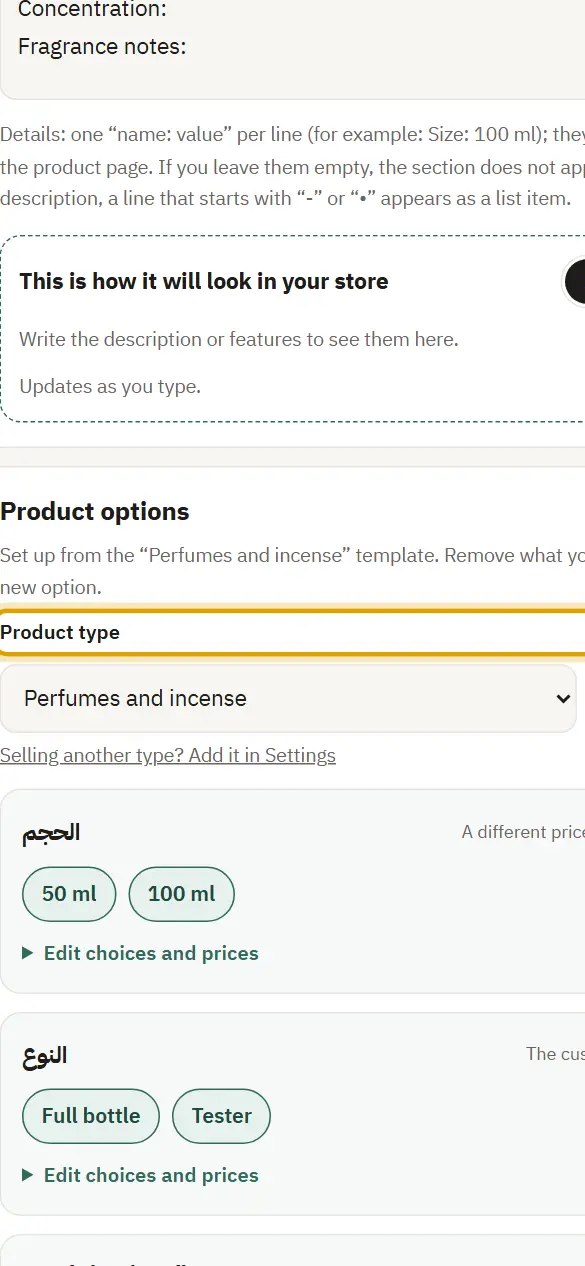
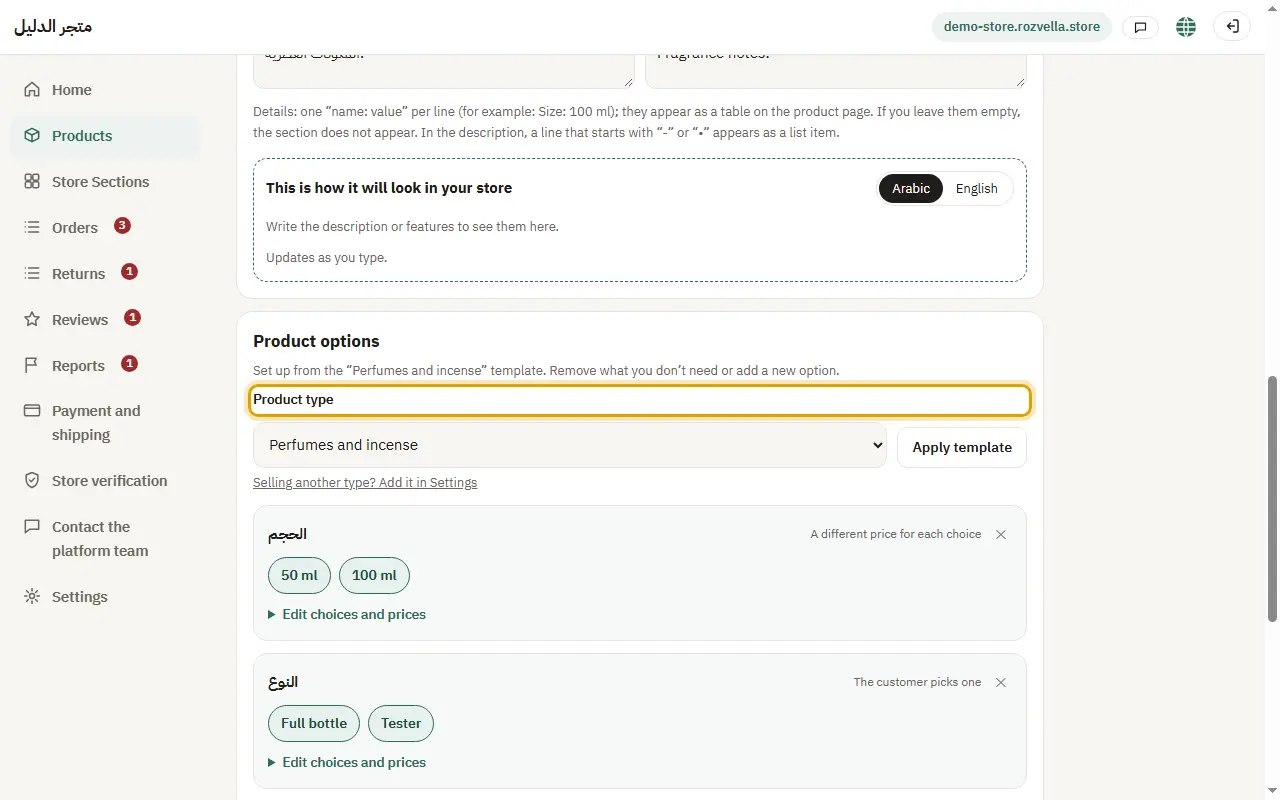
1Choose the digital product type
Where?Products›Add product›Product type
In the product form choose “Product type”: Digital products.
2Upload the file or enter the link
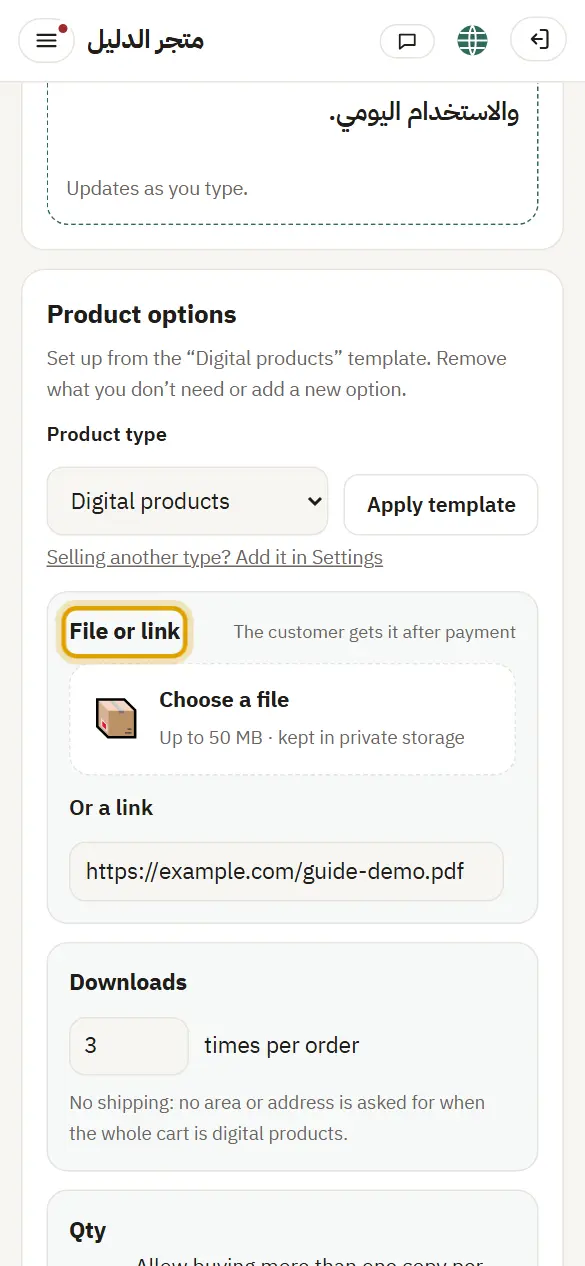
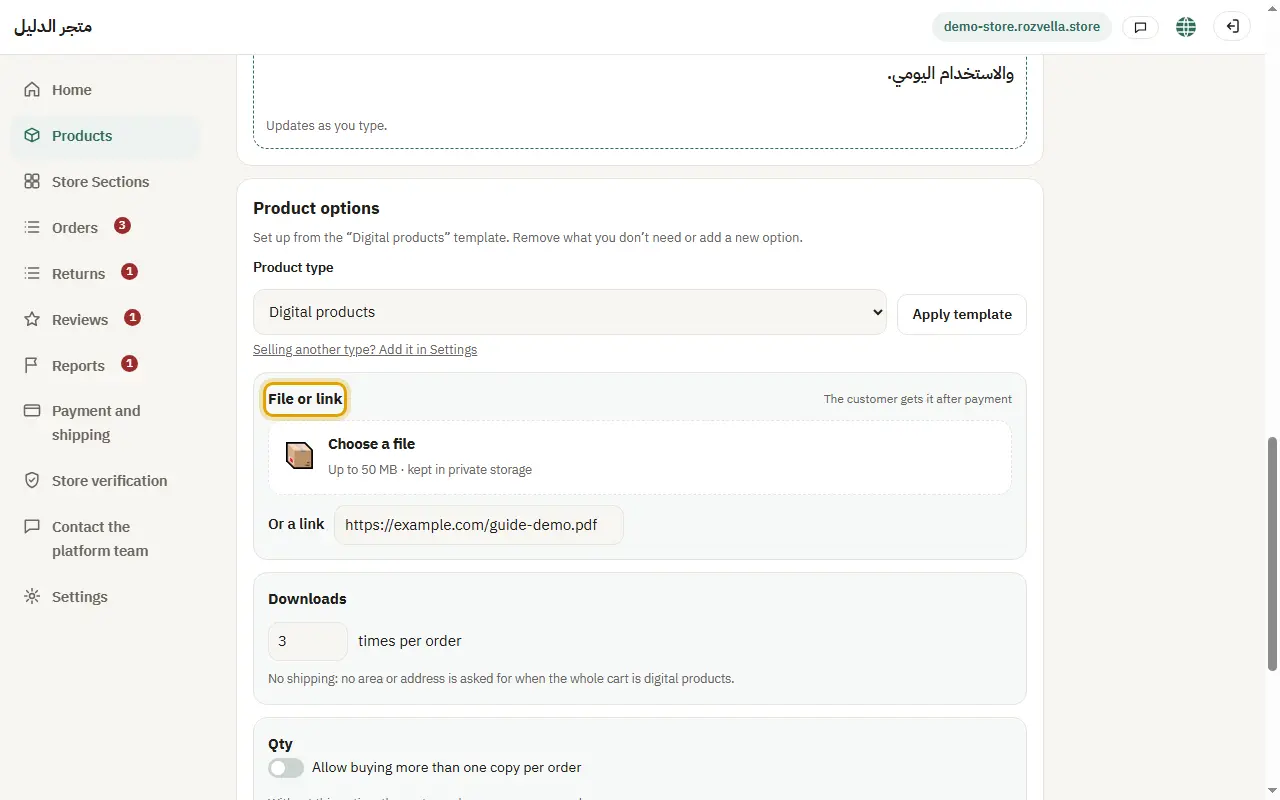
Where?Products›Add product›File or link
Upload the file (up to 50 MB) or enter an external link. Allowed types: PDF, EPUB, ZIP, Word, Excel, PowerPoint, images (JPG, PNG, WebP), audio (MP3, M4A, WAV) and MP4 video.
The file is rejected
We check the file type from its content. Make sure it is one of the allowed types and its extension is correct.
“The file couldn't be uploaded (up to 50 MB)”
Make the file smaller or compress it, or put it behind an external link.
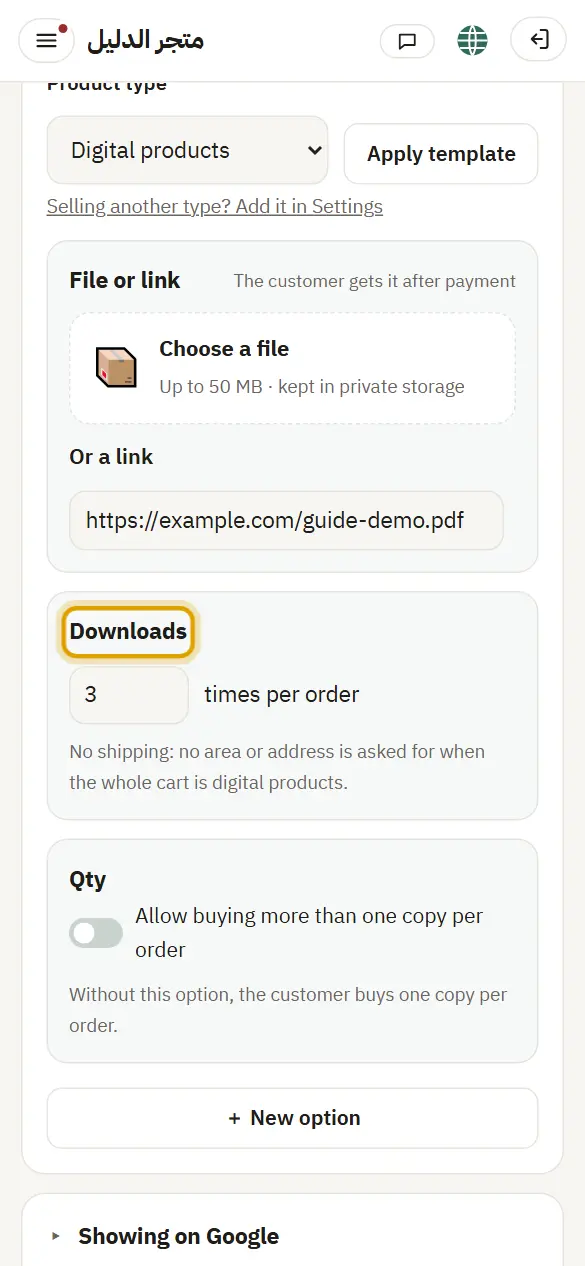
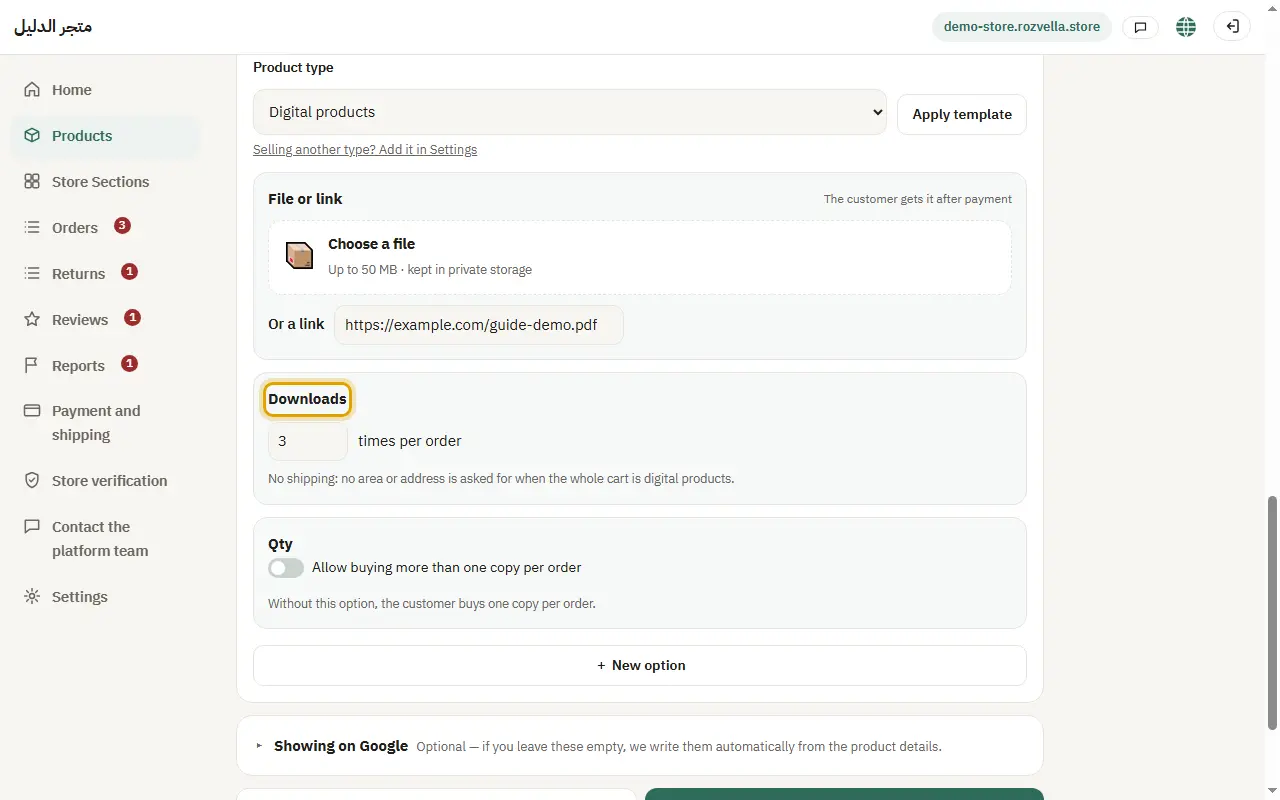
3Download limit
Where?Products›Add product›Downloads
Enter how many downloads are allowed per order.
4One copy or more
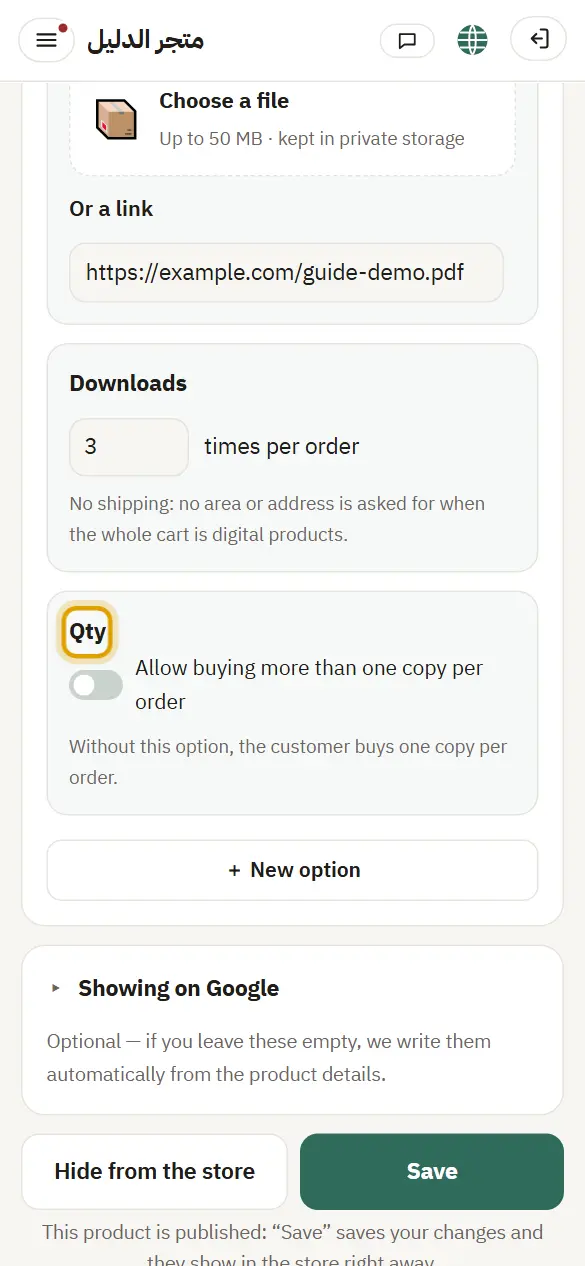
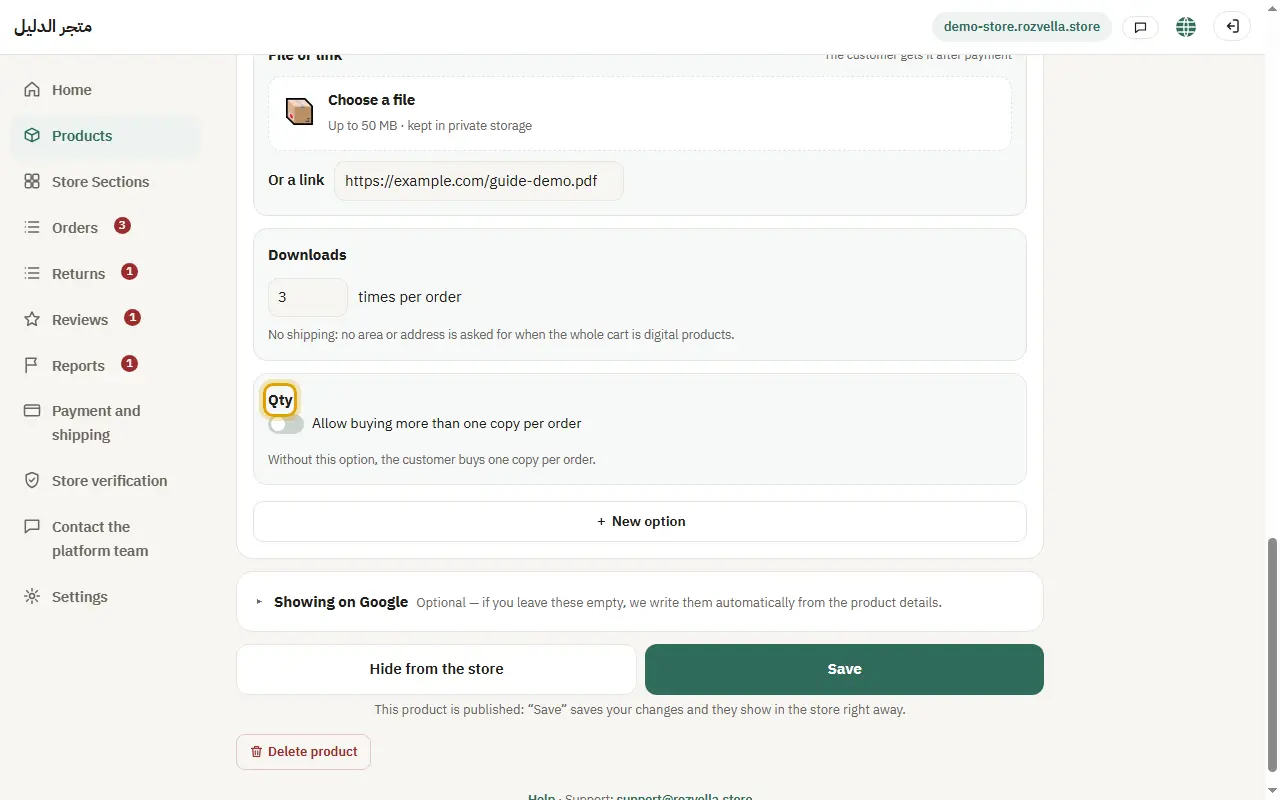
Where?Products›Add product›Qty
A digital product sells as one copy per order. To allow more, tick “Allow buying more than one copy in a single order”.
5No shipping and no cash on delivery
A digital product is prepaid only (transfer or card), and needs no shipping area or address.